
Activate Family Members
To activate other family members in the new system, you need to do the following:
🎬 Video Instructions:
Watch how to register family members in the Wondr system:
▶️ Watch video on YouTube
Watch how to register family members in the Wondr system:
▶️ Watch video on YouTube
Step by Step:
-
Register family members:
Ask your partner and any children included in the membership to register by creating personal accounts via this link:
https://bjerredssaltsjobad.wondr.se/register
Enter the code: Famreg2025📷 Click on the image to see what it looks like: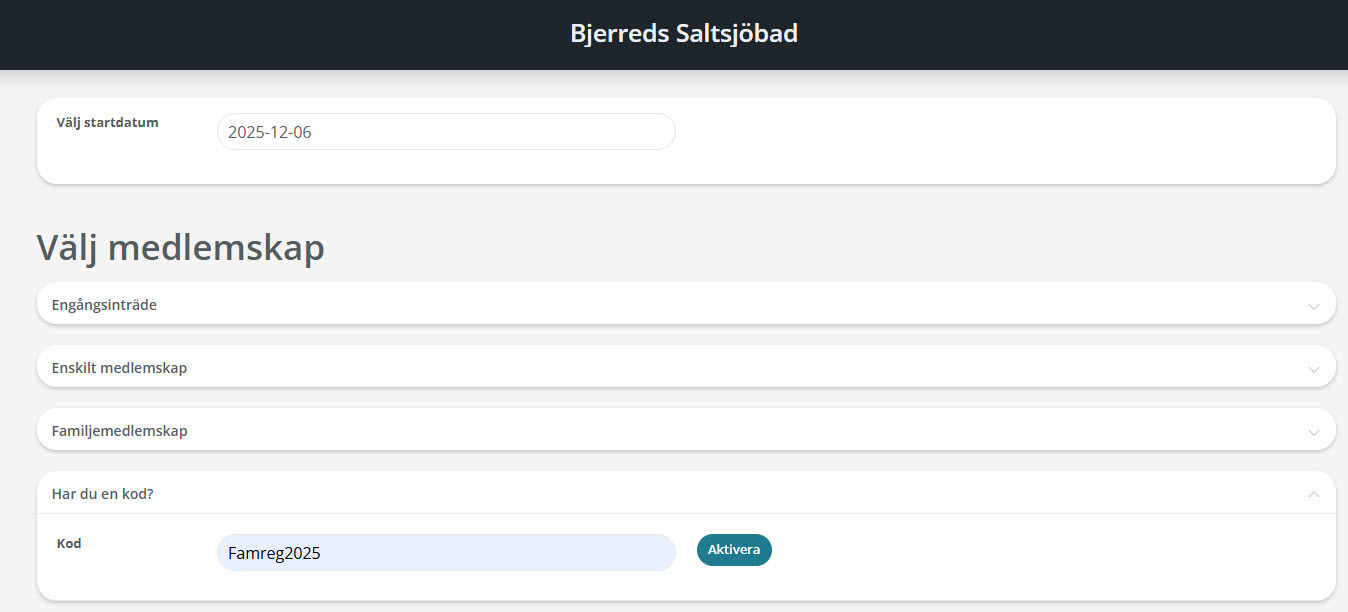
-
Email details:
Send names and personal identity numbers to info@kallbadhus.se for the family members who should be included in the membership. -
Download the app:
Each family member downloads our membership app Wondr and logs in with their own credentials.
⚠️ Important: Don't forget to enter the registration code "Famreg2025" when family members create their accounts. Without the code, the registration cannot be linked to your family membership.
📧 Send details to:
info@kallbadhus.se
Include names and personal identity numbers for all family members to be included in the membership.
info@kallbadhus.se
Include names and personal identity numbers for all family members to be included in the membership.
Download the Wondr App
Each family member needs to download the Wondr app and log in with their own credentials: